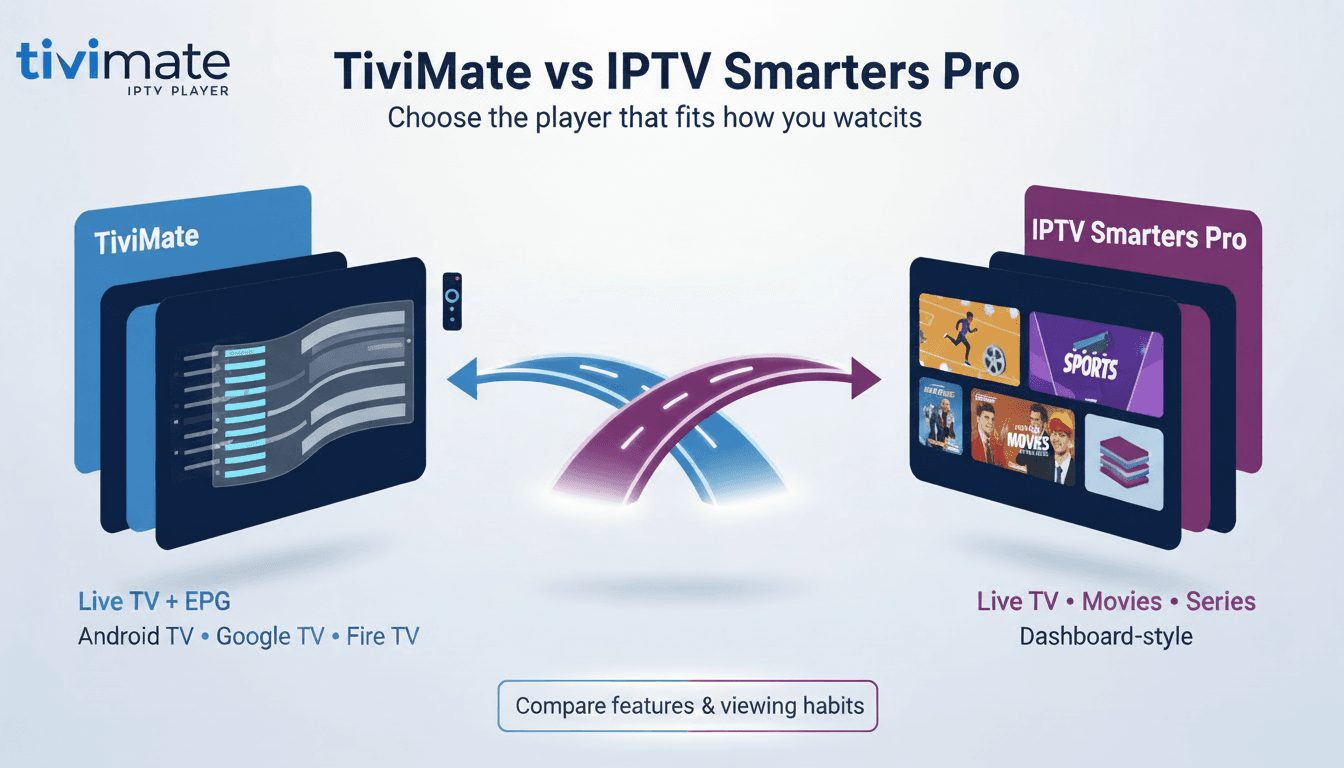
Choosing between TiviMate and IPTV Smarters Pro can be confusing, especially if you want a reliable IPTV player for live TV, an electronic programme guide (EPG), and easy channel navigation. Both applications let you load an IPTV playlist, but their interfaces, features, and device compatibility differ.
So, which is better: TiviMate or IPTV Smarters Pro?
TiviMate is generally the stronger choice for watching live TV on compatible Android TV, Google TV, and Fire TV devices. IPTV Smarters Pro may be a better fit if you prefer a dashboard-style interface and want to organise live TV, movies, and series in one application. Your ideal option depends on your device, playlist, and viewing habits.
This guide compares TiviMate vs IPTV Smarters Pro across features, EPG, playlist setup, performance, compatibility, and cost so you can make an informed decision.
TiviMate vs IPTV Smarters Pro: Quick Comparison
| Feature | TiviMate | IPTV Smarters Pro |
|---|---|---|
| Best suited for | Live TV on compatible TV devices | Users who prefer a dashboard-style interface |
| Interface | Traditional TV guide layout | Dashboard with content categories |
| EPG support | Yes | Yes, depending on version and playlist |
| Playlist options | M3U, Xtream Codes, Stalker Portal | M3U and other login or playlist options depending on version |
| Multiple playlists | Supported, with some features requiring Premium | Supported in compatible versions |
| Live TV | Yes | Yes |
| Movies and series | Depends on the content and version supported; primarily live-TV focused | Supported in versions offering VOD categories |
| Customisation | Extensive TV-focused settings | Varies by version |
| Device compatibility | Primarily Android TV and compatible Android-based TV devices | Varies by app version and platform |
| Premium features | Paid upgrade unlocks additional features | Pricing and premium features vary by version |
| Channels included | No | No |
What Is TiviMate IPTV Player?
TiviMate is an IPTV player designed mainly for large screens and remote-control navigation. It lets you add a compatible IPTV playlist and organise channels through a TV-guide interface.
Instead of supplying television channels or subscriptions, TiviMate plays content from a playlist or service that you configure yourself.
Its key features include:
- An electronic programme guide for supported channels
- M3U playlist and Xtream Codes support
- Stalker Portal support
- Multiple playlist management
- Channel groups and favourites
- Search and programme information
- Additional features such as recording and multiview, subject to device support and Premium access
One of TiviMate's main advantages is its TV-oriented design. You can browse channels, check programme schedules, and navigate using a compatible remote without relying on a touchscreen.
If you are new to the application, follow our TiviMate installation guide to understand the setup process.
What Is IPTV Smarters Pro?
IPTV Smarters Pro is a media player that supports compatible IPTV playlists and organises available content through a dashboard-style interface.
Depending on the particular version, users may find separate sections for live television, movies, series, favourites, and programme information. The exact features and interface can vary across platforms and app versions.
Common capabilities may include:
- IPTV playlist or account login
- Live TV and EPG support
- Movies and series categories when provided by the configured service
- Favourites and content organisation
- Parental controls in supported versions
- Additional playback or multi-screen features where available
IPTV Smarters Pro may appeal to users who prefer accessing different content categories from one home screen. However, check the specific app listing for your device because features and availability are not identical across every version.
Like TiviMate, IPTV Smarters Pro does not automatically provide channels or a subscription. You need a compatible playlist or service with permission to access the content.
1. User Interface: Which App Is Easier to Use?
The interface is one of the biggest differences between TiviMate and IPTV Smarters Pro.
TiviMate interface
TiviMate focuses on the traditional television experience. Its programme guide displays channels and scheduling information in a grid, making it convenient to browse live TV with a remote.
This layout is useful if you regularly switch between channels, check what is currently playing, or browse upcoming programmes.
TiviMate also offers various customisation options, allowing users to adjust parts of the viewing experience to suit their preferences.
IPTV Smarters Pro interface
IPTV Smarters Pro generally uses a dashboard-style layout that can separate live TV, movies, and series into different categories, depending on the version and service configuration.
This approach may be easier for people who prefer navigating from a home screen rather than spending most of their time in a traditional channel guide.
Which interface wins?
TiviMate is usually the better choice for remote-controlled live TV navigation. IPTV Smarters Pro may suit users who prefer a more category-based layout and want quick access to different types of content.
Neither interface is objectively better for everyone. The best option depends on your preferred navigation style and device.
2. EPG Support: TiviMate vs IPTV Smarters Pro
An electronic programme guide, or EPG, displays programme names, descriptions, and scheduled broadcast times. It helps you decide what to watch without opening every channel individually.
Both applications support EPG functionality, but the experience depends on the app version, playlist configuration, and quality of the supplied guide data.
TiviMate EPG
TiviMate is particularly appealing to users who rely on a detailed, grid-based TV guide. It lets you browse channel schedules and view programme information when the playlist provides suitable EPG data.
You may need to configure an EPG source or match programme data to channels correctly.
IPTV Smarters Pro EPG
IPTV Smarters Pro also supports programme-guide functionality in compatible versions. The available information depends on whether your IPTV service supplies guide data and whether the app processes that data correctly.
If programme information is missing, the issue may be related to the EPG source, channel mapping, time settings, or playlist configuration rather than the player alone.
Which app has the better EPG?
TiviMate is a strong option if the TV guide is central to your viewing routine. However, neither app can guarantee complete or accurate programme information when the source data is missing, outdated, or incorrect. For TiviMate-specific guide issues, see our TiviMate EPG Not Updating Fixes guide.
3. Playlist Support and Setup
Both applications require a compatible playlist or account from a service that you are authorised to use.
The setup process varies according to the app version and the login method supported by your provider.
Adding a playlist to TiviMate
TiviMate supports common connection methods, including M3U playlists, Xtream Codes, and Stalker Portal.
A typical setup involves:
- Open TiviMate on your compatible device.
- Choose the option to add a playlist.
- Select the supported connection method.
- Enter the details supplied by your IPTV provider.
- Allow the playlist to load.
- Configure EPG data if necessary.
For step-by-step instructions, read our guide on how to add a playlist to TiviMate.
Adding a playlist to IPTV Smarters Pro
The exact process depends on the version you install. Compatible versions may offer an M3U playlist option or an account-login method such as Xtream Codes.
Generally, you will need to:
- Open the application.
- Select the available playlist or login option.
- Enter your provider's authorised connection details.
- Wait for the application to process the available categories.
- Check live TV and EPG information.
Always use the connection method supported by your specific app and provider.
Which app is easier to set up?
Both can be straightforward when your provider gives you valid details and the app supports your chosen login method. TiviMate's setup is especially suitable for people who want a dedicated TV interface, while Smarters may appeal to those who prefer a dashboard-based workflow.
4. Performance and Buffering: Which IPTV Player Is Faster?
Performance matters when you are watching live television, especially if you frequently switch channels or use a large playlist.
However, it would be misleading to claim that one application is always faster or completely free from buffering. Playback depends on several factors, including:
- Your internet connection and Wi-Fi signal
- The performance and available memory of your device
- The size and structure of your playlist
- The quality and availability of the stream source
- The selected video player and playback settings
- The app version and its compatibility with your device
TiviMate's TV-focused design and channel-navigation tools may provide a more comfortable experience for users who primarily watch live TV.
IPTV Smarters Pro may perform well too, depending on the device, version, and playlist. Some versions also offer playback options that may help with particular compatibility issues.
How to troubleshoot buffering in either app
If streams keep pausing or freezing, try these steps before switching applications:
- Restart the app and your streaming device.
- Test the same stream on another supported device, if possible.
- Restart your router and check your Wi-Fi signal.
- Try another channel from the same playlist.
- Check whether the problem affects one channel or every channel.
- Update the application using a trusted source.
- Check with your provider if the stream or server is unavailable.
If you use TiviMate, our TiviMate buffering fix guide covers additional troubleshooting steps.
5. Device Compatibility: Which App Works on Your Device?
Compatibility can determine your choice before you compare any other feature.
TiviMate compatibility
TiviMate is designed primarily for Android TV and compatible Android-based television devices. It is commonly considered by users with supported Android TV boxes, Google TV devices, and compatible Fire TV devices.
It is not a native application for every Smart TV, phone, or desktop operating system. Before installing it, check whether your device and operating system are supported.
You can also read our guide on installing IPTV on Firestick if you are setting up a compatible Fire TV device.
IPTV Smarters Pro compatibility
IPTV Smarters Pro availability depends on the particular version and platform. Different versions or related apps may be available for Android devices, iOS, computers, or selected Smart TVs.
Do not assume that every version has identical features or that an app listed under a similar name is the same product. Check the official app listing or trusted developer source for your device.
Compatibility comparison
| Device type | TiviMate | IPTV Smarters Pro |
|---|---|---|
| Android TV | Designed for compatible devices | Check the version available for your device |
| Google TV | Available on compatible devices | Check the version available for your device |
| Fire TV | Depends on device and operating-system compatibility | Depends on the version and installation method |
| Android phone or tablet | Not primarily designed for touchscreen use | Compatible versions may be available |
| iPhone or iPad | No native TiviMate app | Compatible versions may be available |
| Windows or macOS | No native desktop version | Desktop or web options may be available, depending on the product |
Always confirm current compatibility before downloading an application. Device support and app availability can change.
6. Free vs Premium: Which Offers Better Value?
Cost is another important factor in the TiviMate vs IPTV Smarters Pro comparison.
TiviMate offers a free version and a Premium upgrade. Some advanced features require Premium access, so check the current feature list before deciding whether to pay.
IPTV Smarters Pro has different versions and distribution options, and the available features or charges may vary. Do not assume that every app using the Smarters name has the same pricing model.
| Consideration | TiviMate | IPTV Smarters Pro |
|---|---|---|
| Free access | Available with limitations | Depends on the specific version |
| Paid features | Premium unlocks additional capabilities | Varies by app version and platform |
| Best reason to upgrade | Access to desired advanced TV features | Access to features offered by the specific version |
| What to check first | Current Premium feature list and terms | Official listing, feature list, and payment terms |
Is TiviMate Premium worth it?
TiviMate Premium may be worthwhile if you regularly watch live TV and want the additional features it offers. If you only need basic playback, first test whether the free version meets your requirements.
For more details, read our comparison of TiviMate Premium vs Free.
Before paying for either application, verify the current price, subscription period, supported devices, and cancellation terms through the relevant official source.
7. Live TV, Movies, and Series
Your preferred content type should influence which player you choose.
TiviMate for live television
TiviMate is particularly well suited to users who want a traditional live-TV experience. Its programme guide, channel organisation, favourites, and remote-friendly interface make it useful for browsing a large collection of live channels.
Some advanced functions depend on Premium access, device compatibility, and the features provided by your source.
IPTV Smarters Pro for different content categories
Compatible versions of IPTV Smarters Pro can organise live TV, movies, and series into separate sections when that content is supplied by your configured service.
This layout may be convenient if you switch frequently between live channels and on-demand content.
However, the app itself does not provide a library of movies or television series. Those categories appear only when supported content is supplied through your authorised service and compatible app version.
Which is better for your viewing habits?
Choose TiviMate if your main priority is browsing live channels and programme schedules on a TV. Consider IPTV Smarters Pro if you prefer a dashboard that brings multiple supported content categories together.
8. Pros and Cons of TiviMate
Advantages
- Designed for large screens and remote navigation.
- Clear, grid-based EPG interface.
- Supports common playlist connection methods.
- Offers extensive TV-focused customisation.
- Provides additional features through Premium access.
Disadvantages
- Primarily intended for compatible Android-based TV devices.
- Some features require a paid upgrade.
- Requires a separate playlist or authorised content source.
- Performance and guide accuracy still depend on the device and supplied data.
9. Pros and Cons of IPTV Smarters Pro
Advantages
- Dashboard-style navigation can be convenient for different content categories.
- Compatible versions support live TV and EPG.
- Some versions offer movies and series sections.
- Availability across platforms may suit users who watch on different device types.
Disadvantages
- Features and compatibility vary by version.
- The interface may not suit users who prefer a traditional TV guide.
- EPG quality depends on the supplied programme data.
- Requires a compatible playlist or authorised service to play content.
Frequently Asked Questions
Is TiviMate better than IPTV Smarters Pro?
TiviMate is often the stronger option for live-TV viewing on compatible Android-based TV devices because of its TV guide and customisation. IPTV Smarters Pro may suit users who prefer a dashboard interface or a version compatible with more of their devices.
What is the main difference between TiviMate and IPTV Smarters Pro?
The main difference is the user experience. TiviMate focuses on live TV and remote-friendly programme-guide navigation, while compatible IPTV Smarters Pro versions may organise live TV, movies, and series through a dashboard.
Is TiviMate free to use?
TiviMate has a free version and a Premium upgrade. Certain advanced features require Premium access. Check the current app listing for the latest feature details and terms.
Is IPTV Smarters Pro free?
Availability and pricing depend on the particular version and platform. Check the official listing for the app you intend to use before downloading or paying for it.
Does TiviMate include IPTV channels?
No. TiviMate is a media player. You must add a compatible playlist or use a service you are authorised to access.
Does IPTV Smarters Pro provide channels?
No. IPTV Smarters Pro is also a media player. Any live TV, movies, or series available in the app depend on the content source you configure.
Which app has the better EPG?
TiviMate is a strong choice for users who prefer a detailed, grid-based TV guide. Both apps can display programme information when supported EPG data is available and configured correctly.
Which app is better for Firestick?
TiviMate is a strong option on compatible Fire TV devices if you mainly watch live TV. IPTV Smarters Pro is another possibility if a compatible version is available. Confirm your device's operating-system support before installing either app.
Which IPTV player buffers less?
Neither app is guaranteed to buffer less in every situation. Internet stability, device performance, stream quality, playlist size, and provider availability can all affect playback. Test the same stream under similar conditions before deciding.
Can I use TiviMate and IPTV Smarters Pro together?
Yes, if both applications are compatible with your device and support the connection details you have. You can compare their interfaces using the same authorised playlist, although each app may require its own setup.
Can I use TiviMate on an iPhone or Windows PC?
TiviMate is primarily designed for compatible Android-based TV devices and does not offer a native iPhone or Windows desktop app. Check official compatibility information before trying workarounds.
Should I switch from IPTV Smarters Pro to TiviMate?
Consider switching if you primarily watch live TV on a compatible TV device and prefer TiviMate's programme guide and customisation. If your current player works well and supports your devices, switching may not offer enough benefit to justify changing your setup.
TiviMate vs IPTV Smarters Pro: Final Verdict
So, which IPTV player should you choose?
TiviMate is our recommendation for users who primarily watch live TV on a compatible Android TV, Google TV, or Fire TV device. Its TV-first interface, detailed programme guide, and customisation options make it a strong choice for remote-controlled viewing.
IPTV Smarters Pro may be the better fit if you prefer a dashboard-style interface or need a version that supports your particular combination of devices and content categories. Check the specific version's features and compatibility before installing it.
Before making your decision, consider your device, the type of content you watch, whether you need Premium features, and how well your playlist works. You can also test both options on a compatible device when their available versions allow it.
Remember that neither application supplies television channels or automatically includes an IPTV subscription. Use a legitimate source and make sure you have permission to access the content you stream. Looking for a compatible service? Review our IPTV Plans.