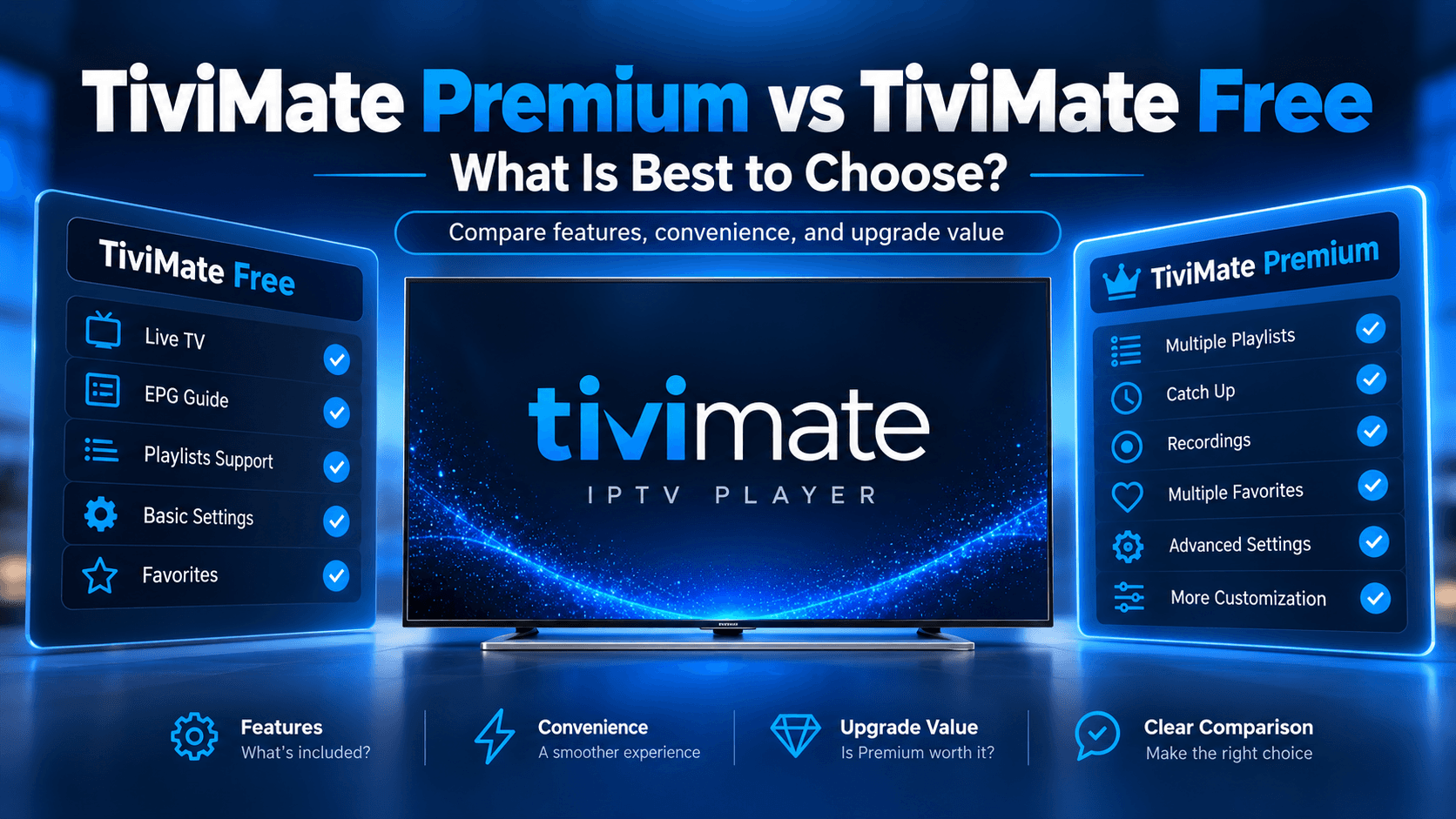
If you are setting up TiviMate for IPTV, one of the first questions you may have is whether you should stay with the free version or upgrade to Premium. The difference is mainly about app features and convenience, not access to TV channels. For connecting your service, follow our guide on how to add a playlist to TiviMate.
TiviMate is an IPTV media player designed primarily for Android TV and remote-controlled devices. You add your own IPTV playlist, such as an M3U playlist or Xtream Codes connection, and TiviMate organises that content into a TV-friendly interface. Need the full player setup? Use the TiviMate IPTV Setup Guide.
This guide explains TiviMate Premium vs Free, what each version is designed for, which features are associated with Premium, and what you should check before paying for an upgrade.
Quick Answer
TiviMate Free can be used for basic IPTV playback, while TiviMate Premium is designed for users who want additional features such as advanced playlist management, recording, and multiview. The exact feature split can change between app versions, so check the Premium section inside the current TiviMate app before purchasing. TiviMate Premium does not provide IPTV channels or a separate IPTV subscription.
What Is TiviMate?
TiviMate is an IPTV player for compatible Android TV devices. It does not supply TV channels itself. Instead, it lets you add your own IPTV playlists and organise them through a TV-focused interface.
The official Google Play listing says TiviMate supports common IPTV playlist formats including M3U, Xtream Codes and Stalker Portal. It also lists features such as an electronic programme guide (EPG), favourites, search, catch-up, recording, parental controls and multiview.
This distinction matters because buying TiviMate Premium does not mean buying an IPTV service. Your IPTV provider and your TiviMate Premium licence are separate. If you still need a subscription for TiviMate, review our IPTV Plans for TiviMate.
TiviMate Premium vs Free at a Glance
The broad difference can be understood like this:
| Feature | TiviMate Free | TiviMate Premium |
|---|---|---|
| IPTV media player | Yes | Yes |
| M3U playlists | Yes | Yes |
| Xtream Codes | Yes | Yes |
| TV guide / EPG | Available | Available |
| Favourite channels | Available | Available |
| Search | Available | Available |
| Multiple playlists | Feature availability should be checked in your version | Commonly associated with Premium |
| Recording | Limited or unavailable depending on current version | Premium feature |
| Multiview | Limited or unavailable depending on current version | Premium feature |
| Catch-up | Availability can depend on provider and version | Supported where available |
| Parental controls | Feature availability should be checked | Available as a TiviMate feature |
| Backup and restore | Check current version | Commonly associated with Premium |
| IPTV channels included | No | No |
What Features Does TiviMate Free Offer?
The Free version is intended for users who want to use TiviMate as an IPTV player without immediately paying for additional features.
You can use TiviMate to connect compatible IPTV playlists and watch the content supplied by your own IPTV provider.
IPTV Playlist Support
TiviMate supports common playlist and login methods, including M3U and Xtream Codes. This allows users to bring an existing IPTV service into the player rather than purchasing channels from TiviMate itself. See the step-by-step guide: How to Add Playlist to TiviMate (M3U & Xtream Codes).
Electronic Programme Guide
The Electronic Programme Guide, or EPG, displays programme information in a TV-style guide.
The usefulness of the EPG depends partly on the data supplied by your IPTV provider. If the provider does not supply accurate programme information, changing TiviMate settings alone may not solve the problem.
Favourites and Channel Organisation
TiviMate includes tools for organising channels and accessing favourites. This can make a large IPTV playlist easier to browse.
Search
The official app listing also includes search functionality, allowing users to find channels and programmes more easily.
What Does TiviMate Premium Add?
TiviMate Premium is aimed more at users who want additional control and convenience.
The features associated with Premium can include multiple playlist management, recording, multiview, and additional customisation. Independent TiviMate documentation also identifies recording and multiview as Premium features.
Multiple Playlists
Multiple playlist support is useful if you use more than one IPTV source.
For example, you may have one playlist for general television and another for international or specialist content. Instead of repeatedly replacing your playlist information, multiple playlist management lets you keep compatible sources organised in the same application.
The exact playlist limit or availability should be checked against your current TiviMate version.
Recording
Recording is one of the major reasons some users consider Premium.
If your setup and IPTV source support recording, TiviMate can be used to record programmes for later viewing. Storage requirements and recording reliability depend on the device, storage location, and stream.
Recording should not be confused with downloading channels from TiviMate. TiviMate remains a media player and does not supply the underlying content.
Multiview
Multiview allows compatible streams to be displayed together on the same screen.
This can be particularly useful when watching multiple live events or channels. However, performance depends on your Android TV device, network connection, stream quality and the limits of your IPTV service.
Backup and Restore
Backup and restore can be useful if you have spent time organising playlists, favourites and other settings.
Instead of rebuilding your setup from scratch after changing devices or reinstalling the application, a backup can help preserve your configuration. Exact availability should be confirmed in your current Premium version.
Does TiviMate Premium Include IPTV Channels?
No. TiviMate Premium does not include IPTV channels, TV subscriptions, or media content.
This is one of the most important things to understand before upgrading.
TiviMate's official Google Play description explicitly states that it is a media player and that paid upgrades unlock application features only. The Premium upgrade does not provide channels, streams, or other media content.
You still need your own compatible IPTV source. Compare options on our IPTV Plans page, then connect them with our playlist setup guide.
In simple terms:
- IPTV provider = supplies the content
- TiviMate = plays and organises the content
- TiviMate Premium = unlocks additional player features
TiviMate Premium vs Free: Which Features Matter Most?
The right choice depends on how you use TiviMate.
| Your Requirement | What to Consider |
|---|---|
| You only watch IPTV occasionally | Free may provide enough functionality |
| You use one IPTV playlist | Free may be sufficient for basic viewing |
| You need several IPTV playlists | Check Premium availability |
| You want to record programmes | Premium is the relevant version to investigate |
| You want multiview | Premium is the relevant option to investigate |
| You want more advanced organisation | Premium may provide additional controls |
| You only need basic live viewing | Free may be enough |
| You think Premium includes channels | It does not |
This approach is more useful than simply asking whether Premium is "better". The important question is whether you will actually use the features that Premium adds.
Is TiviMate Premium Worth It?
Whether TiviMate Premium is worthwhile depends on your viewing habits.
If you mainly watch live television from one IPTV playlist and do not need recording or multiview, the free version may cover your basic requirements.
If you regularly use multiple playlists, want to record programmes or use multiview, Premium becomes more relevant because these are among the features associated with the paid version.
There is no need to upgrade simply because you have TiviMate installed. First identify the feature you actually need.
How Much Does TiviMate Premium Cost?
TiviMate pricing can vary according to the current purchase option, platform and region.
Because pricing can change, this article does not present an unverified fixed price as the current official price.
The safest approach is to check the Premium purchase screen in the current TiviMate ecosystem before paying.
The official TiviMate Companion app is specifically described as a tool for unlocking Premium functionality on devices without Google Play and for managing activated devices.
How to Decide Between TiviMate Free and Premium
Use your actual viewing habits rather than the number of features listed on a comparison page.
Choose Free If You:
- Mainly watch live IPTV.
- Have a basic setup.
- Use a single IPTV source.
- Do not need recording.
- Do not need multiview.
- Want to test TiviMate before paying.
Consider Premium If You:
- Need multiple playlists.
- Want recording functionality.
- Want to use multiview.
- Need more advanced organisation.
- Regularly use TiviMate and want additional features.
- Want to make greater use of the application's power-user tools.
Practical Example
Imagine you have one IPTV subscription and mainly watch news, entertainment and sports channels.
You add your playlist to TiviMate, use the programme guide and save your favourite channels. If those features meet your needs, there may be little reason to upgrade immediately.
Now consider a different setup. You use two IPTV playlists, regularly watch several sporting events and want to record selected programmes.
In that situation, Premium features become much more relevant because multiple playlist management, recording, and multiview address specific requirements.
The difference is therefore less about the number of features and more about whether those features solve a problem you actually have.
TiviMate Free vs Premium: Pros and Cons
| Version | Advantages | Considerations |
|---|---|---|
| Free | No Premium payment required, suitable for basic IPTV use, supports core player functionality | Some advanced features may be restricted |
| Premium | Adds access to additional power-user features | Requires a separate Premium purchase |
| Both | Use your own IPTV playlist, TV-focused interface and core playback features | Neither version supplies IPTV channels |
Common Mistakes to Avoid
1. Thinking Premium Includes Channels
It does not. TiviMate Premium is an application upgrade, not an IPTV subscription.
2. Assuming Premium Fixes Every Buffering Problem
A Premium licence does not automatically improve your internet connection or IPTV provider's stream quality.
Buffering can involve your network, device, IPTV source, server performance and stream quality.
3. Paying Before Checking the Features You Need
If you only require basic live viewing, check whether the free version already provides what you need.
4. Using Unverified TiviMate Apps
There are applications with names similar to TiviMate.
Before installing or paying, check the developer and official listing carefully. The official Google Play listing identifies the developer as Armobsoft FZE.
5. Assuming Every IPTV Feature Depends Only on TiviMate
Some features, particularly EPG and catch-up, depend on the IPTV source supplying the necessary data or streams.
TiviMate Premium vs Free: Key Takeaways
- TiviMate is an IPTV media player, not an IPTV channel provider.
- The Free version can handle basic IPTV playback.
- Premium is designed for users who need additional functionality.
- Recording and multiview are among the features associated with Premium.
- Multiple playlist support is another commonly documented Premium-related feature.
- Your IPTV subscription remains separate from TiviMate Premium.
- Premium does not provide channels or streams.
- Exact feature availability can change between versions, so check the current app before purchasing.
- The best choice depends on which features you actually need.
Action Checklist
Before choosing between TiviMate Free and Premium:
- Identify how many IPTV playlists you use.
- Check whether you need recording.
- Decide whether multiview is important to you.
- Check whether your IPTV provider supports catch-up.
- Check your device compatibility.
- Review the current Premium features in the app.
- Check the current price before purchasing.
- Confirm that you are using the official TiviMate application.
- Remember that TiviMate Premium does not include IPTV channels.
Final Thoughts on TiviMate Premium vs Free
TiviMate Premium vs Free is ultimately a question of features rather than access to television content. Both versions are part of the same IPTV player ecosystem, while Premium adds functionality intended for users who want more control over their setup.
For basic IPTV viewing, the free version may be enough. Users who need features such as recording, multiview or multiple playlist management should examine Premium more closely.
Before purchasing, check the current Premium screen in the app because feature availability and pricing can change between versions. Most importantly, remember that TiviMate is only the player. Your IPTV provider remains responsible for supplying the channels and streams you add to the application. Next steps: follow the TiviMate IPTV Setup Guide, learn how to add a playlist to TiviMate, or View IPTV Plans. Need help? Contact our support team.
FAQs
Is TiviMate Free really free?
Yes. TiviMate has a free version that can be used for IPTV playback without purchasing Premium. The free version is intended for basic use, while additional features are associated with Premium. The exact restrictions can vary by app version, so users should check the current Premium section before deciding whether an upgrade is necessary.
What is the main difference between TiviMate Premium and Free?
The main difference is access to additional application features. TiviMate Free is suitable for basic IPTV playback, while Premium is designed for users who want features such as recording, multiview and more advanced playlist management. Premium does not change the IPTV content available through your provider.
Does TiviMate Premium include IPTV channels?
No. TiviMate Premium does not include IPTV channels, live streams or a television subscription. TiviMate describes itself as a media player. You must add your own compatible IPTV playlist or credentials from an IPTV content provider. The Premium upgrade only unlocks features within the TiviMate application.
Can I use TiviMate without Premium?
Yes. You can use the free version of TiviMate for basic IPTV playback. Whether it is enough depends on the features you need. If you only watch live television and use basic playlist and guide functions, you may not need Premium. Users requiring additional features should check the current Premium options.
Does TiviMate Premium support recording?
TiviMate lists recording as one of its application features, and independent TiviMate documentation identifies recording as a Premium feature. Recording also depends on your device, available storage and the IPTV stream. Check the current version of TiviMate before purchasing if recording is the main reason for your upgrade.
Does TiviMate Premium support multiple playlists?
Multiple playlist support is listed among TiviMate's application features and is commonly associated with Premium. However, the official Google Play listing does not publish a complete Free-versus-Premium feature matrix. Check the current TiviMate Premium screen to confirm the exact playlist allowance for your version.
Does TiviMate Premium improve IPTV buffering?
Not necessarily. Premium unlocks application features, but it does not automatically improve your internet connection or the quality of an IPTV provider's servers. Buffering can result from network speed, Wi-Fi performance, device limitations, stream quality or the IPTV provider. Premium should therefore not be purchased solely as a solution to buffering.
Is TiviMate Premium worth paying for?
That depends on which features you use. If you only need basic IPTV playback, the free version may meet your requirements. If you need features such as recording, multiview or multiple playlist management, Premium may provide functionality that is relevant to your setup. Check the current features and price before purchasing.