The setup is simple
Choose your plan → Receive your access details → Add them to TiviMate → Load your playlist → Start watching
Already using TiviMate and looking for an IPTV subscription to add to your player?
Get started with an IPTV service designed for a simple setup on compatible devices. Choose your preferred plan, receive your access details and follow our step-by-step guide to connect your subscription to TiviMate.
Whether you're using a Fire TV device, Android TV or another compatible setup, our goal is to make the process straightforward from subscription to setup.
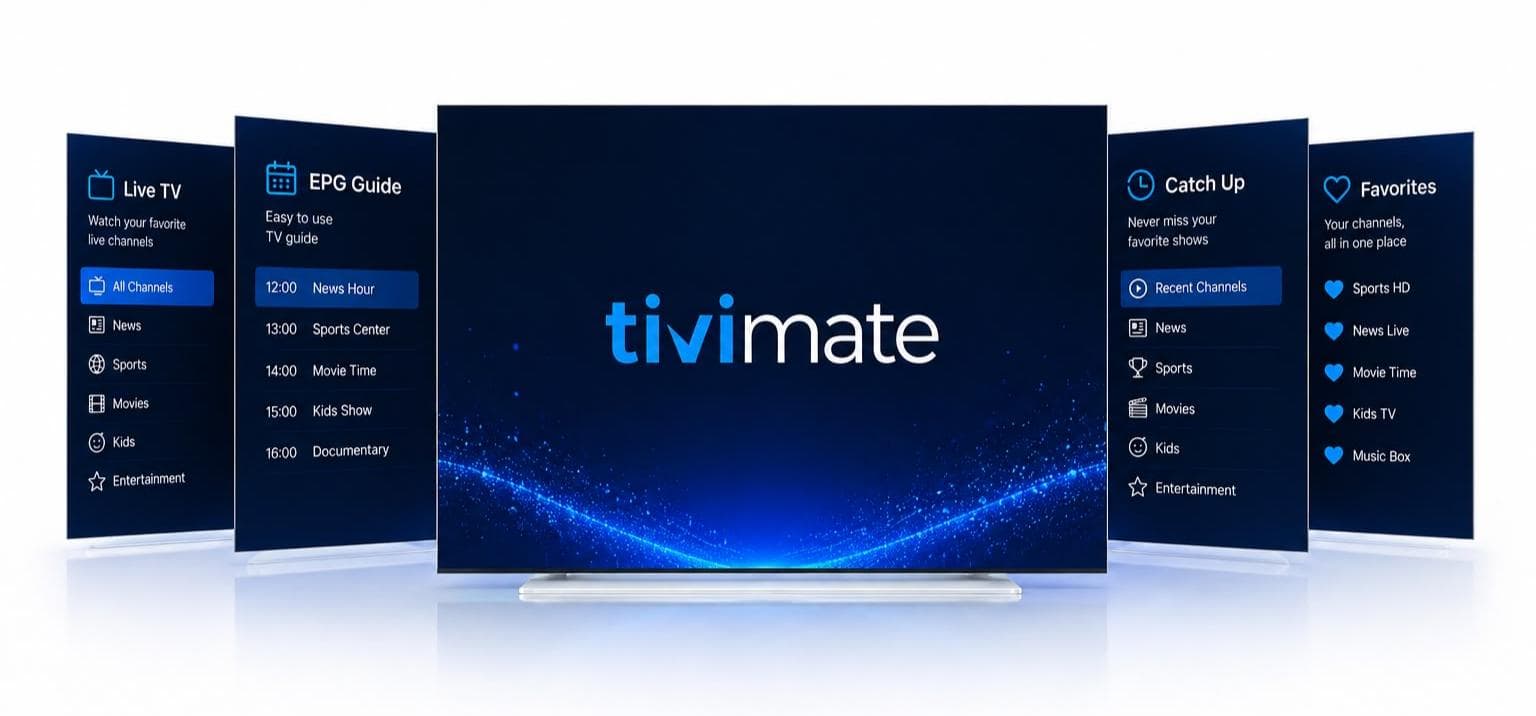
How it fits together
TiviMate gives you a dedicated interface for managing and watching compatible IPTV playlists. Your IPTV subscription provides the service and content, while TiviMate acts as the player through which you access it.
If you already have TiviMate installed, you can move directly to choosing a suitable subscription and setting up your access.
Choose your plan → Receive your access details → Add them to TiviMate → Load your playlist → Start watching
Simple setup
We focus on making the process easy to understand, especially if you’re new to IPTV.
Select the subscription duration that suits your viewing requirements.
Once your order has been processed, you’ll receive the information needed to configure your service.
Launch TiviMate on your compatible device.
Enter the supported playlist or login information provided with your subscription.
Once the connection is successful, your available content will appear inside the player.
Set up favorites, organize categories and configure the interface around the way you watch.
Why TiviMate
If you already like the TiviMate interface, there is no reason to change your player simply because you’re looking for a new IPTV subscription. TiviMate is built around television viewing and provides features intended to make large IPTV playlists easier to navigate.
Browse your content using an interface designed for television screens and remote controls.
Where programme information is supplied by your IPTV service, you can use the EPG to view schedules and upcoming programmes.
Keep the channels you watch most frequently within easy reach.
Find channels and other available content without manually scrolling through your entire playlist.
Manage supported playlists within the same application.
Where supported by the service and playlist, access available programmes after their original broadcast.
Use supported multiview functionality when your device, application and content source allow it.
Adjust supported settings and organize your viewing experience around your preferences.
TiviMate itself does not provide the TV channels or media content. Users add their own compatible content sources.
IPTV subscription
Looking for an IPTV subscription because TiviMate is already your preferred player? Our service provides the IPTV access described in each plan and can be used with TiviMate where the required playlist or login method is supported.
Depending on your selected service and plan, your subscription may provide access to:
Supported IPTV playlist access depends on your plan. Only the exact content, quality, connections and features your service actually provides are included.
IPTV plans
Find a subscription that matches the way you watch.
1 Month
Choose this option if you prefer flexibility and a shorter subscription period.
3 Months
A practical option for regular viewers who want longer access.
6 Months
Suitable for customers who prefer a longer subscription and fewer renewals.
12 Months
Designed for customers who want the longest available subscription period.
How it works
You don’t need to be an IPTV expert.
Choose the plan that suits you.
Your subscription details are provided after activation.
Launch the player on your compatible device.
Enter the supported information supplied with your subscription.
TiviMate will retrieve the available information from the configured source.
Browse your available categories and channels through the TiviMate interface.
Compatible devices
TiviMate is designed for compatible Android TV devices. Its official information also distinguishes TV devices from phones and tablets. Your IPTV service can potentially be used on supported setups such as:
Compatible Fire TV and Firestick devices can be used with TiviMate. Confirm your model and installation method before setup.
TiviMate is designed for compatible Android TV devices and offers a TV-friendly interface for managing IPTV playlists.
Supported Google TV setups can run TiviMate where the device and OS requirements are met.
Many Android TV boxes support TiviMate. Always check your particular device before ordering.
Compatible Android TV hardware such as NVIDIA Shield can be used where TiviMate is supported.
Always confirm your particular device and service compatibility before ordering.
Next step
If TiviMate is already installed, you’re ready to move to the next step.
View the available subscription plans.
Follow the installation guide.
Contact support and tell us what device you’re using and what you’re experiencing.
What makes us different
We explain the difference between the IPTV service and the TiviMate player so you know exactly what you’re purchasing.
Our installation instructions are written for real users rather than technical experts.
Choose a subscription duration that fits your requirements.
Find setup information for the devices commonly used with TiviMate.
If you have trouble configuring your subscription, our support team is available to help according to our support policy.
FAQ
TiviMate is a media player designed for compatible TV devices. It allows users to organize and play supported IPTV playlists and other compatible media sources.
No. TiviMate is the player. You need a separate content source or IPTV subscription.
Yes, when the service provides a playlist or login method supported by TiviMate.
If your subscription works with TiviMate and your device is compatible, you can use TiviMate as your player.
Compatible Fire TV setups can be used with TiviMate. Your specific device and installation method should be checked before setup.
Open TiviMate, select the playlist/add option and enter the supported details supplied by your IPTV provider.
TiviMate is a separate application. The IPTV subscription and the player serve different purposes.
You’ll receive your subscription/access information according to the activation process described on the relevant plan.
Get started
Choose your plan, receive your access details and follow our simple setup instructions.