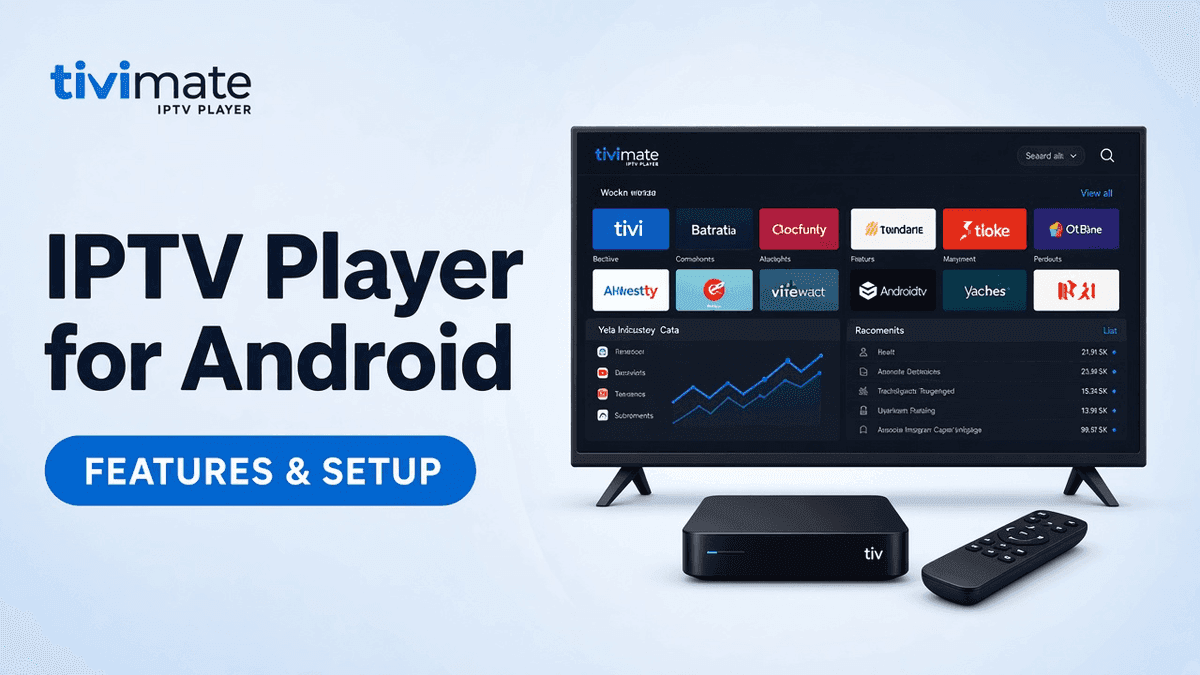
If you want an easy way to organize and watch your IPTV playlists on a television, TiviMate IPTV Player for Android is one option worth considering. It offers a clean interface, remote-friendly navigation, an electronic programme guide (EPG), playlist management, and several useful playback features.
Whether you are setting up an M3U playlist or connecting through Xtream Codes, TiviMate provides tools to manage your IPTV content in one place. However, it is important to understand that TiviMate is a media player, not an IPTV service. You need a separate playlist from a provider to watch channels.
In this guide, we explain its features, Android compatibility, installation, playlist setup, and Premium options.
What Is TiviMate IPTV Player for Android?
TiviMate is an IPTV media player developed primarily for Android TV devices. It allows users to load compatible IPTV playlists and organize live TV channels through a television-friendly interface.
Unlike many mobile video players, TiviMate is designed around remote control navigation. Its layout makes it easier to browse channel categories, search for programmes, manage favourites, and view TV schedules on a larger screen.
The application supports common playlist formats, including:
- M3U and M3U8 playlists
- Xtream Codes login
- Stalker Portal
You can download the official application through Google Play or visit the official TiviMate website.
Main Features of TiviMate IPTV Player
TiviMate offers several features that help users organize their IPTV playlists and control playback.
1. Multiple IPTV Playlists
You can add and manage multiple IPTV playlists in the application. This is useful if you have different playlists and want to switch between them without removing your existing setup. Multiple playlist support is a Premium feature.
2. Electronic Programme Guide (EPG)
The EPG displays programme schedules in a television guide layout. You can check available programmes, browse upcoming shows, and find information about what is currently playing.
The accuracy of the guide depends on the EPG information supplied by your IPTV provider.
3. Favourite Channels
TiviMate allows you to mark frequently watched channels as favourites. This makes it easier to access your preferred channels without browsing through long playlist categories.
4. Catch-Up TV
If your IPTV provider supports catch-up, you can access selected programmes that were broadcast earlier. Availability depends on the provider, channel, and supported stream.
5. Recording and Multiview
TiviMate Premium includes recording and multiview features. Recording lets you save supported live streams, while multiview allows you to display multiple channels on one screen.
Both features depend on compatible streams, device performance, and available storage.
6. Search and Parental Controls
The search feature helps you find channels and programmes more quickly. Parental controls also allow you to restrict access to selected content or channel groups.
How to Install TiviMate on Android TV
Installing TiviMate is straightforward if your device supports Android TV or Google TV.
Follow these steps:
- Turn on your Android TV or Google TV device.
- Open the Google Play Store.
- Search for TiviMate IPTV Player.
- Check that the developer is Armobsoft FZE.
- Select Install and wait for the download to finish.
- Open TiviMate from your applications menu.
You can also use the official download option on the TiviMate website if you need to install its APK manually on a compatible device.
Always download the application from an official source. Avoid modified APK files that claim to provide unlocked Premium features.
For more detailed instructions, read our TiviMate installation guide.
How to Set Up an IPTV Playlist in TiviMate
After installing the application, you need to add a compatible playlist. Your IPTV provider should supply the required connection details.
Method 1: Add an M3U Playlist
- Open TiviMate.
- Select Add Playlist.
- Choose the M3U playlist option.
- Enter the M3U URL supplied by your provider.
- Select Next and allow the playlist to load.
- Finish the setup and check your channel list.
Method 2: Use Xtream Codes Login
If your provider supplies Xtream Codes details, follow these steps:
- Open TiviMate and select Add Playlist.
- Choose Xtream Codes login.
- Enter the server address.
- Add your username and password.
- Enter a playlist name if requested.
- Continue and wait for the channels and EPG information to load.
Make sure your login details are correct. An incorrect server URL, username, or password can prevent the playlist from loading.
For a complete walkthrough, visit our guide on how to add a playlist to TiviMate.
TiviMate Free vs Premium: Which Version Should You Choose?
TiviMate offers a free version for basic IPTV playback and a paid Premium upgrade for additional features.
| Feature | Free | Premium |
|---|---|---|
| Basic IPTV playback | Yes | Yes |
| One playlist | Yes | Yes |
| Multiple playlists | No | Yes |
| Recording | No | Yes |
| Multiview | No | Yes |
| Advanced customization | Limited | More options |
| Additional playlist management | Limited | Yes |
If you only use one playlist and need basic playback, the free version may be enough. However, Premium is more suitable for users who want multiple playlists, recording, multiview, and additional customization. Read our detailed comparison of TiviMate Premium vs Free before upgrading.
Common TiviMate Problems on Android and Their Solutions
Although TiviMate is designed for television devices, users may occasionally experience setup or playback problems.
| Problem | Possible solution |
|---|---|
| Playlist not loading | Check your M3U URL or Xtream Codes details |
| Channels buffering | Test your internet connection and contact your provider |
| EPG not updating | Refresh the guide and verify the EPG source |
| Server connection error | Check server availability and subscription status |
| App not opening | Restart your device and check for updates |
| Remote control not working | Test your remote and review TiviMate navigation settings |
If your channels keep buffering, follow our TiviMate buffering fix guide.
Is TiviMate the Right IPTV Player for Android?
TiviMate is a strong option for users who want to manage IPTV playlists on Android TV or Google TV. Its remote-friendly interface, EPG, favourites, search, and Premium features make it useful for regular television viewing.
However, it may not be the right choice for everyone. It is not optimized for Android phones and tablets, and it does not provide channels or an IPTV subscription.
If you want a player for a television device and already have a compatible playlist, TiviMate is worth trying. Start with the free version and consider Premium if you need its additional features.
Frequently Asked Questions
Is TiviMate IPTV Player available for Android?
Yes. TiviMate is available for compatible Android TV devices through Google Play and the official TiviMate website. It is designed primarily for large screens rather than Android phones.
Is TiviMate free to download?
Yes. You can download and use the free version. However, some advanced features require a separate TiviMate Premium upgrade.
Does TiviMate provide IPTV channels?
No. TiviMate is only a media player. You must add your own compatible M3U playlist, Xtream Codes login, or Stalker Portal details from a provider.
Does TiviMate support M3U and Xtream Codes?
Yes. TiviMate supports common IPTV playlist formats, including M3U, Xtream Codes, and Stalker Portal.
Can I install TiviMate on an Android phone?
TiviMate is not optimized for Android phones or tablets. Its interface is designed for Android TV devices and remote control navigation.
Is TiviMate Premium necessary?
No. The free version supports basic playback. Premium is optional and unlocks additional features such as multiple playlists, recording, and multiview.
Final Thoughts
TiviMate IPTV Player for Android is designed to make IPTV playlist management easier on Android TV and Google TV devices. It supports popular playlist formats and provides useful features such as EPG, favourites, search, recording, and multiview.
If you already have a compatible IPTV playlist, you can start with the free version and explore its features. Upgrade to Premium when you need more advanced playlist management and playback options. Looking for a compatible service? Review our IPTV Plans.